
Incidents happen in the gym, in the bus loop, at the far end of a portable. Those are exactly the places school wifi does not reach. SPEDup is built for that.
Everything on this page describes the mobile app. You can write reports and save drafts on the dashboard too, and your drafts are the same list on both, but working offline is a mobile app feature only. See Writing reports from the dashboard.
Auto save
You do not have to remember to save.
- The moment you pick a student, a draft is created. That is also what captures the incident's real start time.
- Every time you advance a step in the ABC wizard, your progress saves.
- Save Draft is there if you want to save deliberately.
If a classroom emergency pulls you away mid report, the report waits.
Finding your drafts
Three places, all the same list:
- Reports tab, Drafts. The tab shows a count badge when you have any.
- Home tab, the Pending Drafts card. Tap Resume on a row.
- Home tab, the View Drafts button under Quick Actions.
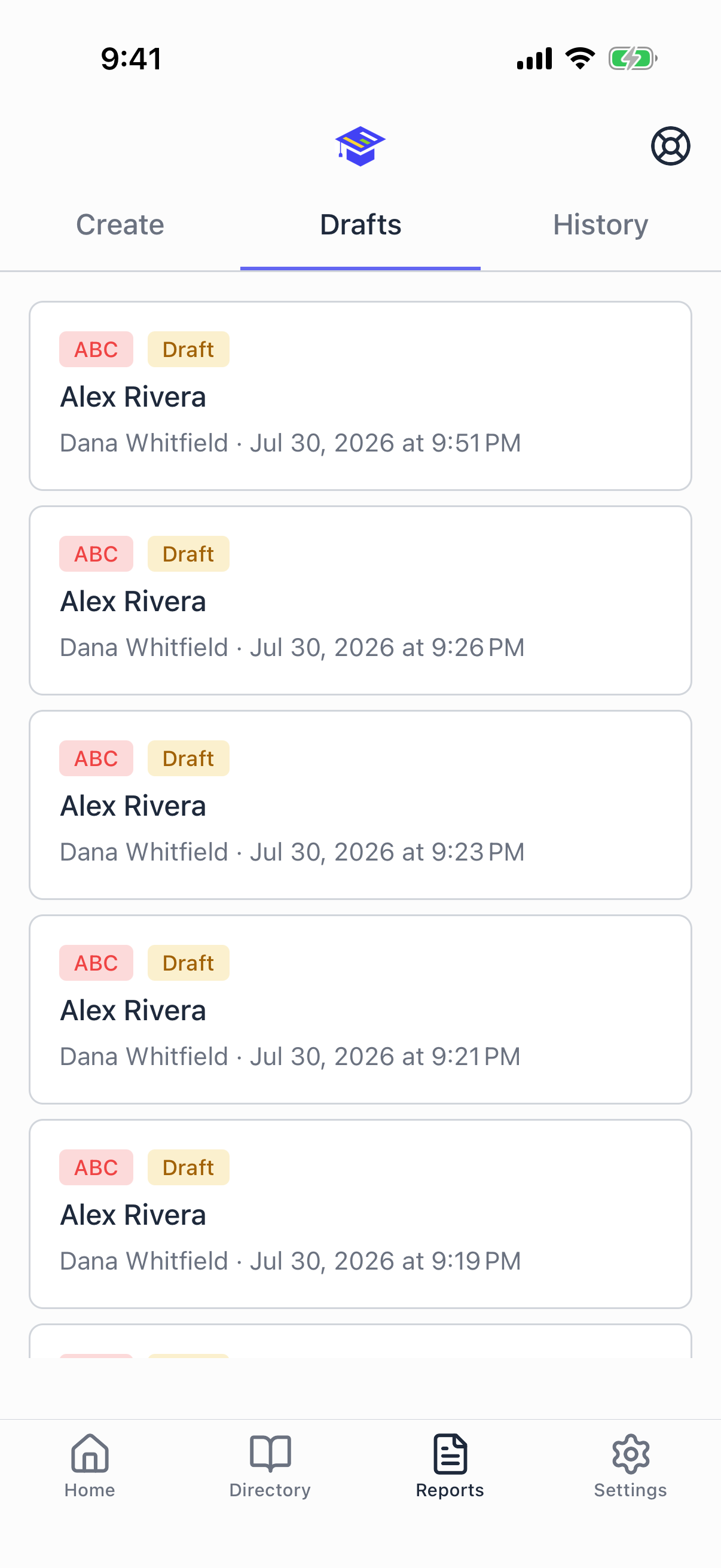
Resuming a draft puts you back on the step you left it on with everything you had entered.
To delete a draft, open it and use the delete icon in the header. You will be asked to confirm.
Working with no signal
This is the mobile app only. A browser cannot save a report you have not sent, so if your connection drops while writing on the dashboard, anything unsaved is lost. When signal is unreliable, use your phone.
When the app cannot reach the network, a banner appears at the top of the screen.
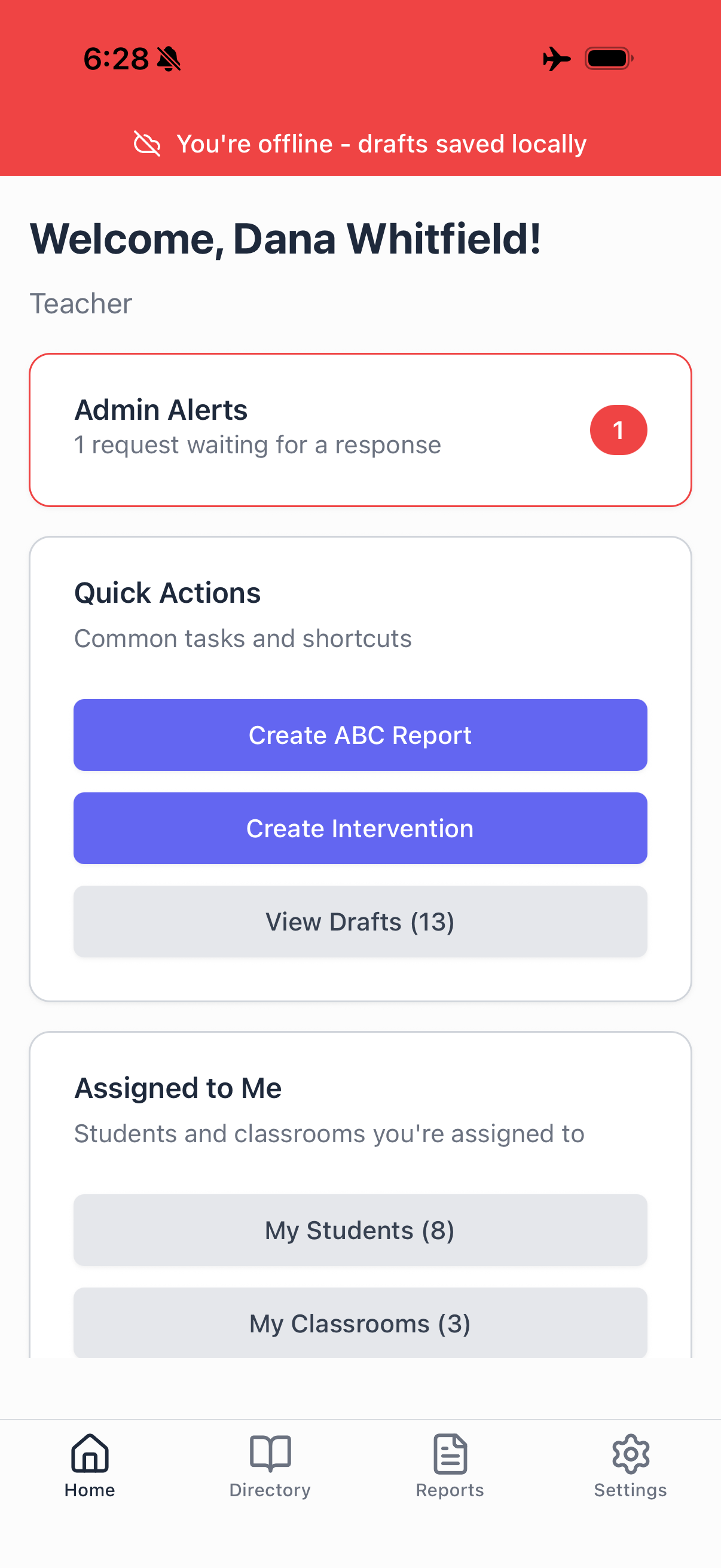
Keep working. Nothing changes about how you write the report.
What happens behind the scenes:
- Your report saves to your phone instead of the server
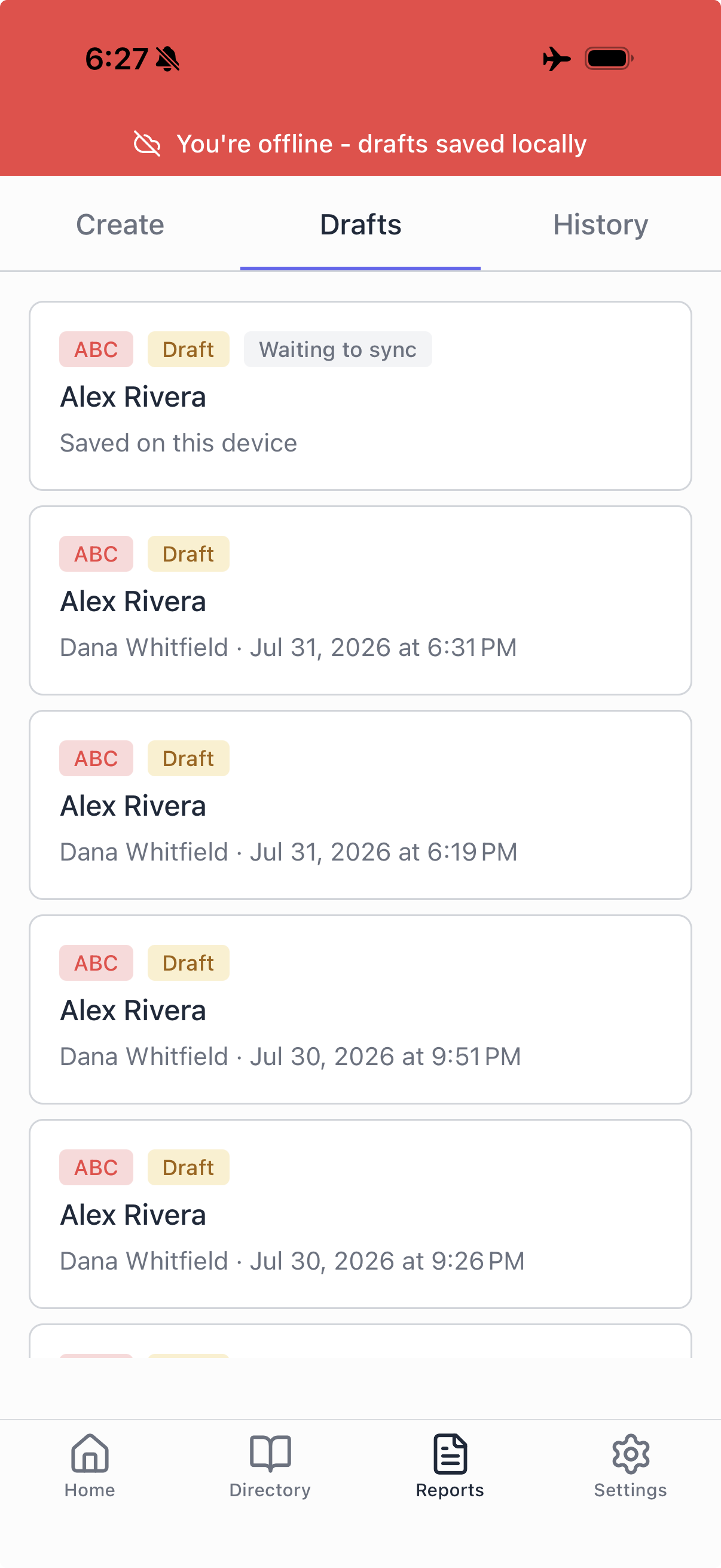
- It appears in the Drafts tab tagged Waiting to sync
- When you are back in range, it uploads itself
You do not have to remember to do anything, and you do not have to re enter anything.
If you finish the report while offline
Submit it anyway. You will see a message saying it is saved on your device and will submit automatically when you are back online.
That is a submitted report, not a draft that you need to go find later. When your phone reconnects, SPEDup writes it and submits it in one pass. It does not quietly downgrade to a draft waiting for you to notice.
Linked reports created offline
If you linked an intervention report to an ABC report while offline, the link is held and applied after both reports have synced.
Things worth knowing
A weak signal counts as offline. Captive portals and half open connections are the normal failure mode on school wifi, and your phone often reports those as connected. SPEDup queues the report locally when a save fails for any reason, not just when the phone says it is offline.
Local drafts can be resumed or deleted before they sync. They behave like any other draft.
Sync happens on its own. There is nothing to tap. If you want to confirm, watch the Drafts tab: the Waiting to sync tag disappears once the report is up.
Sign out on a shared phone once your drafts have synced. Queued drafts stay on the device until they upload. If you are handing the phone to someone else, get back in range first and confirm the Drafts tab is clear.
Troubleshooting
A draft has said Waiting to sync for a long time. Confirm you actually have data or wifi, then open the app and leave it in the foreground for a few seconds. If it still does not clear, do not delete it. Email support and we will help you get it up.
I do not see a draft I know I started. Drafts are yours alone, so check that you are signed in with the same account. If you started it on a different phone and it never synced, it is still on that phone.